

-
[게임엔진활용] 12강 콤보시스템[DSU] 게임엔진활용 2026. 6. 8. 01:27728x90
콤보시스템 구현 방법의 이해
- 스페이스키를 누르면 콤보1 이벤트 발생
- 콤보1 동작시 엔터키를 누르면 콤보2 이벤트 발생
123456789101112131415161718192021222324252627282930313233343536373839404142434445464748495051525354555657585960616263646566676869707172737475767778798081828384858687888990919293949596979899100101102103104105106107108109110111112113114115116117118119120121122123124125126127128129130131132133134135136137138139140141142143using UnityEngine;using UnityEngine.InputSystem;using UnityEngine.InputSystem.Controls;public class GameCombo : RenderView{class Frame{public Frame(int index, float delta, Rect rtAtt){this.index = index;this.delta = delta;this.rtAtt = rtAtt;}public int index;// Texture tex;public float delta;public Rect rtAtt;}class Combo{public Frame[] frame;public int frameIndex;public KeyControl key;public Combo nextCombo;}Combo[] combo;string[] str = {"주먹1-1", "주먹1-2", "주먹1-3","주먹2-1", "주먹2-2"};bool att;int comboIndex, frameIndex;float delta;public override void load(){combo = new Combo[2];Combo c = new Combo();c.frame = new Frame[3];c.frame[0] = new Frame(0, 0.1f, new Rect(0, 0, 0, 0));c.frame[1] = new Frame(1, 0.2f, new Rect(0, 0, 0, 0));c.frame[2] = new Frame(2, 0.3f, new Rect(0, 0, 40, 40));combo[0] = c;c = new Combo();c.frame = new Frame[8];c.frame[0] = new Frame(0, 0.1f, new Rect(0, 0, 0, 0));c.frame[1] = new Frame(1, 0.2f, new Rect(0, 0, 0, 0));c.frame[2] = new Frame(2, 0.3f, new Rect(0, 0, 40, 40));c.frame[3] = new Frame(3, 0.1f, new Rect(0, 0, 0, 0));c.frame[4] = new Frame(4, 0.1f, new Rect(0, 0, 40, 40));c.frame[5] = new Frame(0, 0.1f, new Rect(0, 0, 0, 0));c.frame[6] = new Frame(1, 0.2f, new Rect(0, 0, 0, 0));c.frame[7] = new Frame(2, 0.3f, new Rect(0, 0, 40, 40));combo[1] = c;combo[0].key = Keyboard.current.spaceKey;combo[0].nextCombo = combo[1];combo[1].key = Keyboard.current.enterKey;combo[1].nextCombo = null;att = false;comboIndex = 0;frameIndex = 0;delta = 0.0f;}public override void free(){}public override void draw(float dt){setStringSize(30);setStringRGBA(0.5f, 0.5f, 0.5f, 1.0f);for (int i = 0; i < combo.Length; i++){drawString("콤보"+(1+i)+":", 10, 40 * i, TOP | LEFT);Combo c = combo[i];for (int j = 0; j < c.frame.Length; j++){Frame f = c.frame[j];drawString(str[f.index], 110 + 130 * j, 40 * i, TOP | LEFT);}}if (att){setStringRGBA(1.0f, 1.0f, 0.0f, 1.0f);int i = comboIndex;drawString("콤보" + (1 + i) + ":", 10, 40 * i, TOP | LEFT);setStringRGBA(1.0f, 1.0f, 1.0f, 1.0f);Combo c = combo[comboIndex];Frame f = c.frame[frameIndex];drawString(str[f.index],110 + 130 * frameIndex, 40 * comboIndex, TOP | LEFT);delta += dt;if( delta >= f.delta){delta -= f.delta;frameIndex++;if (frameIndex == c.frame.Length){att = false;comboIndex = 0;frameIndex = 0;}}if (comboIndex == 0){if (combo[1].key.wasPressedThisFrame){comboIndex++;}}}else{if (combo[0].key.wasPressedThisFrame){att = true;comboIndex = 0;frameIndex = 0;delta = 0.0f;}}//if (Keyboard.current.wKey.wasPressedThisFrame)}public override void mouse(int stat, float x, float y){}}cs 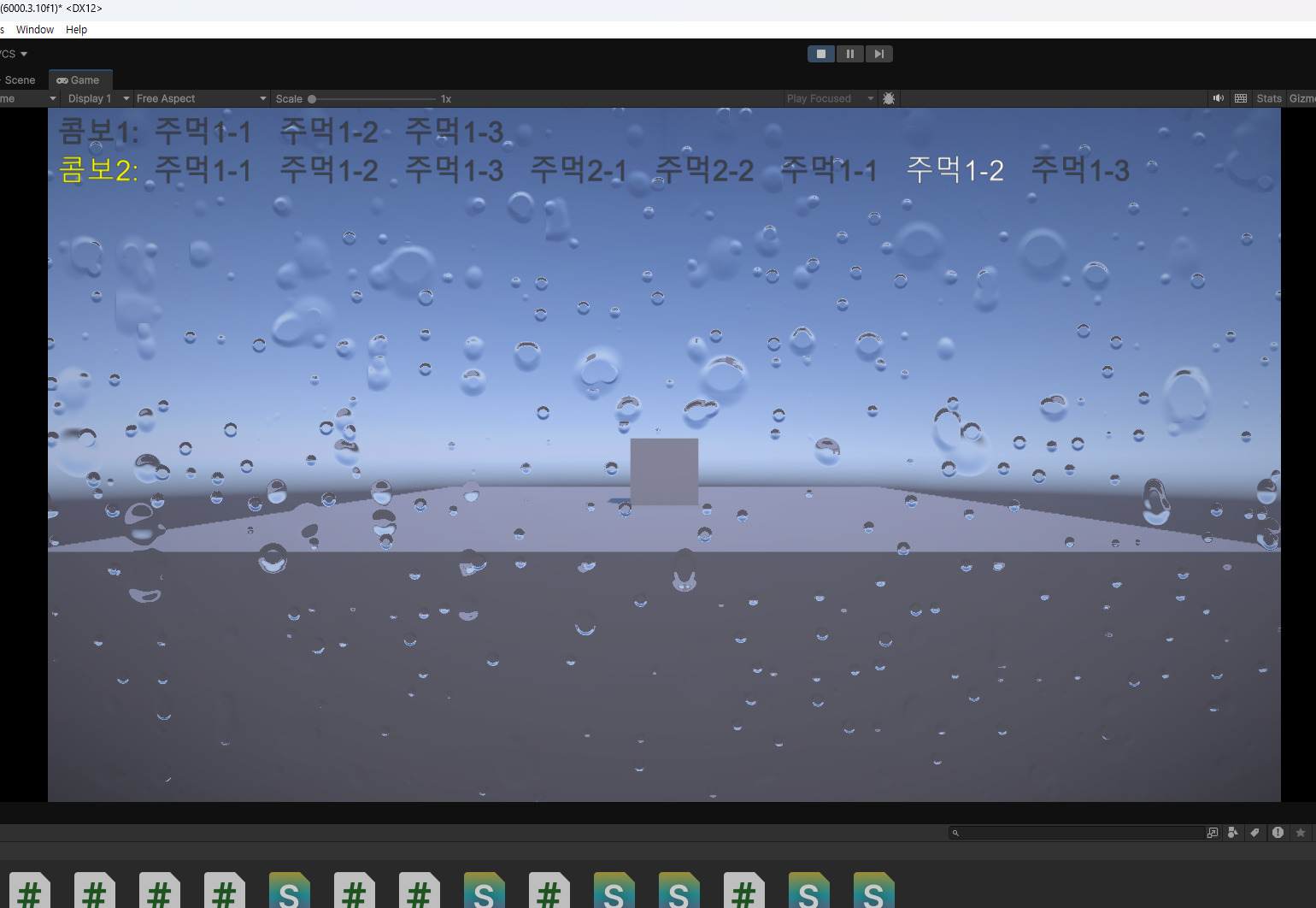
'[DSU] 게임엔진활용' 카테고리의 다른 글
[게임엔진활용] 11강 피하기 게임 제작 (0) 2026.06.08 [게임엔진활용] 10강 파티클 시스템 (0) 2026.06.08 [게임엔진활용] 9강 플랫포머 게임 제작 (0) 2026.06.08 [게임엔진활용] 8강 사과 게임 제작 (0) 2026.06.08 [게임엔진활용] 7강 게임 시스템 구성 (0) 2026.06.08